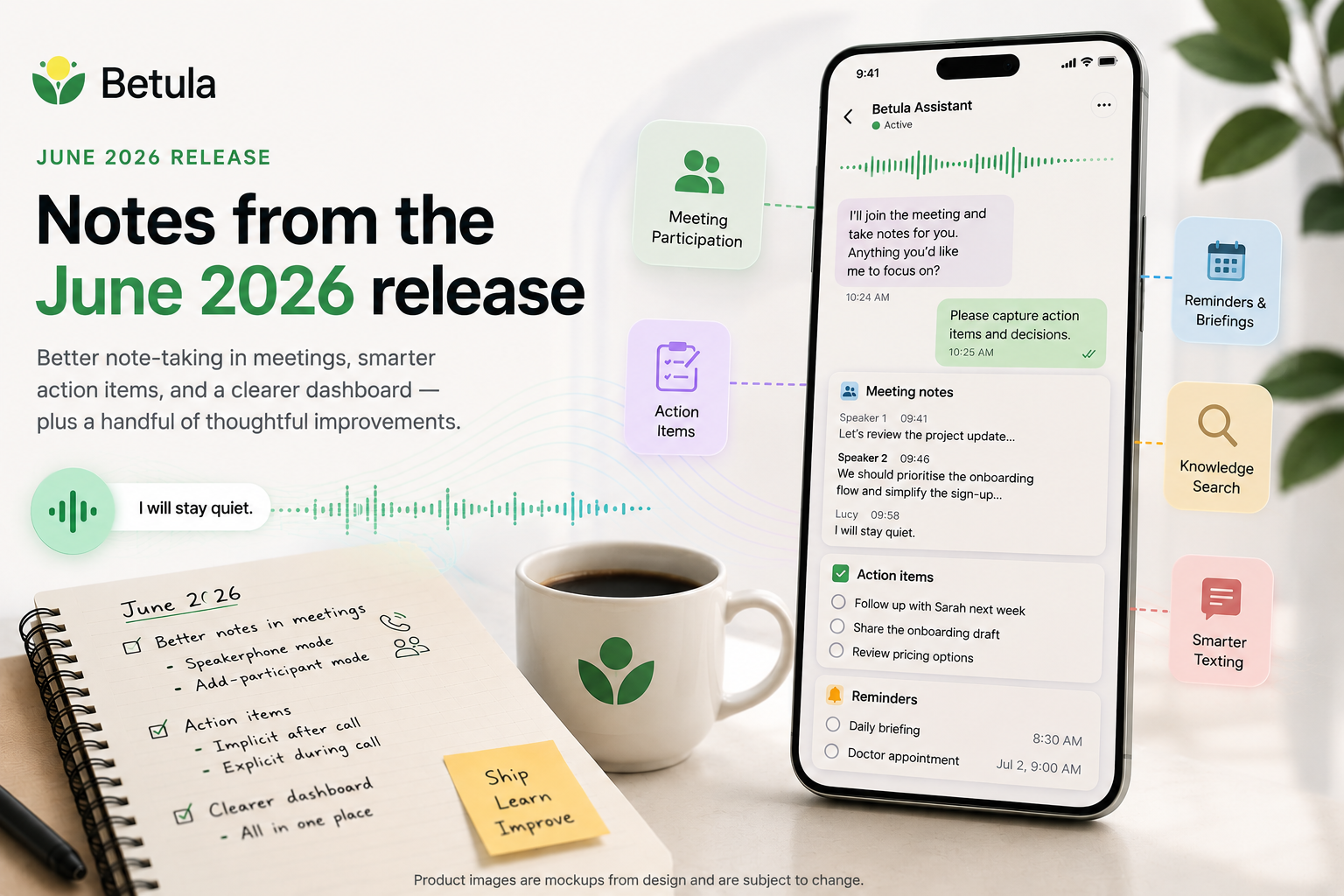
Here's what shipped in June 2026. Most of the work this month went into the agent's role inside calls and meetings, with smaller improvements across notes, briefings, and texting.
Better note-taking in meetings
The agent can now sit in on a meeting in two ways, and we improved both this release.
Speakerphone mode. You're in a one-on-one or small in-person meeting. You call your agent, put the phone on speaker, and let it listen. The agent performs speaker diarization — it tries to tag who said what — though this mode has a known limitation: everyone's audio is coming in on the same channel through your phone's microphone, so the tags look like John [speaker 1], John [speaker 2]. Useful, but imperfect.
Add-participant mode. You call your agent and ask it to add another person to the call (by name from your contact list, or by phone number). Now each participant is on a separate audio channel, and speaker identification is clean.
In both modes, anyone in the conversation can address the agent — we call ours Lucy — and ask a question. When they want her to stay quiet again, they can phrase it however they like. She'll always reply with one specific line: "I will stay quiet." That exact phrase is intentional. It's the confirmation that the request was understood and acted on.
Action items, where they belong
Action items now have two ways to come into existence:
- Implicitly, after a call ends. The agent reviews the call and extracts action items automatically.
- Explicitly, during a call. You can tell the agent "add an action item to follow up with Sarah next week," and it captures it in the moment.
We deliberately do not auto-create reminders the same way. The risk is duplicates — an explicit reminder you set, plus an implicit one the agent inferred from the same conversation. With action items the duplication is less painful (you cross one off), so we accept the trade-off there. With reminders, a duplicate buzz on your phone is annoying enough that we'd rather you create them explicitly.
A clearer dashboard
Action items and reminders now show up alongside journals in the UI, so you have one place to see everything the agent is tracking for you.
You can:
- Create, modify, and delete action items.
- Modify the time on a reminder or daily briefing, or delete it.
Creating reminders and briefings from the UI isn't supported in this release — for now, that's done by talking or texting your agent. We'll close that loop in a future release.
Smaller things worth mentioning
A handful of smaller improvements that add up:
- Knowledge search. You can ask your agent general questions and it'll answer using OpenAI's knowledge layer. Good for the "wait, what year did that happen?" moments.
- Math. The agent will work through quick calculations for you. Useful for splitting a bill, computing a tip, or sanity-checking a number on the fly.
- Background music toggle. Some users found the low background audio during silences reassuring; others found it intrusive. Now you can just ask the agent to turn it off.
- Long SMS messages now come as a webpage. When the agent has a lot to tell you, instead of a giant SMS that arrives in fragments (or doesn't arrive at all), you get a single text with a link to a clean HTML page.
- Texting feels more responsive. When you text the agent, you'll immediately see a "Connecting…" indicator, so you know it's working on it. And when an idle text conversation times out, you'll get a clear message that the connection has closed — so the next time you text, you know it'll take a moment to spin back up.
- Stale news in your daily briefing. The briefing now compares against yesterday's cache and avoids repeating the same items two days in a row.
- Contact notes shape how callers are addressed. If you've added a note on a contact saying "refer to her as Li," the agent will pick that up and use it. And if you add a contact manually, the agent will greet that person by name the first time they call.
- "Betula Assistant" on outbound caller ID. When your agent makes a call on your behalf, the recipient now sees Betula Assistant as the registered business name. Less mystery, less likely to be ignored as a spam call.
What's next
A few things we're working toward for the next release:
- Calendly via MCP. Today, when a caller asks to book time with you and you've set a Calendly link, the agent just texts them the link. Calendly recently released an MCP service that will let the agent create, modify, and cancel appointments directly. We're integrating it next.
- LiveKit's new turn detection and DTMF support. Both will sharpen call quality — the turn detector reduces the agent interrupting you mid-sentence, and the new DTMF makes navigating phone menus on outbound calls more reliable.
- Retiring the Betula calendar. It's there for owners who don't have a Calendly link, but in practice owners don't check it. We'd rather not maintain a calendar nobody looks at; we'll point this case at Google Calendar instead.
As always, the best way to tell us what's working and what isn't is to call or text your assistant and say so. The feedback gets logged, and we read all of it.
Thanks to Claude for editorial support on this post.